EXPLORE QUANTA / PRODUCT TOUR
From the first order.
To the final report.
Explore Quanta highlights for guest service, daily operations, and restaurant growth. Walk through the full workflow with our team in a demo.
● ● ●QUANTA CAFE / DEMO↗
Actual product screens. A fictional restaurant.
10restaurant product highlights
3connected operational areas
From the counter to the back office.
Find what matters to your team.
01Guest experience
Make every visit easier from the start.
↗
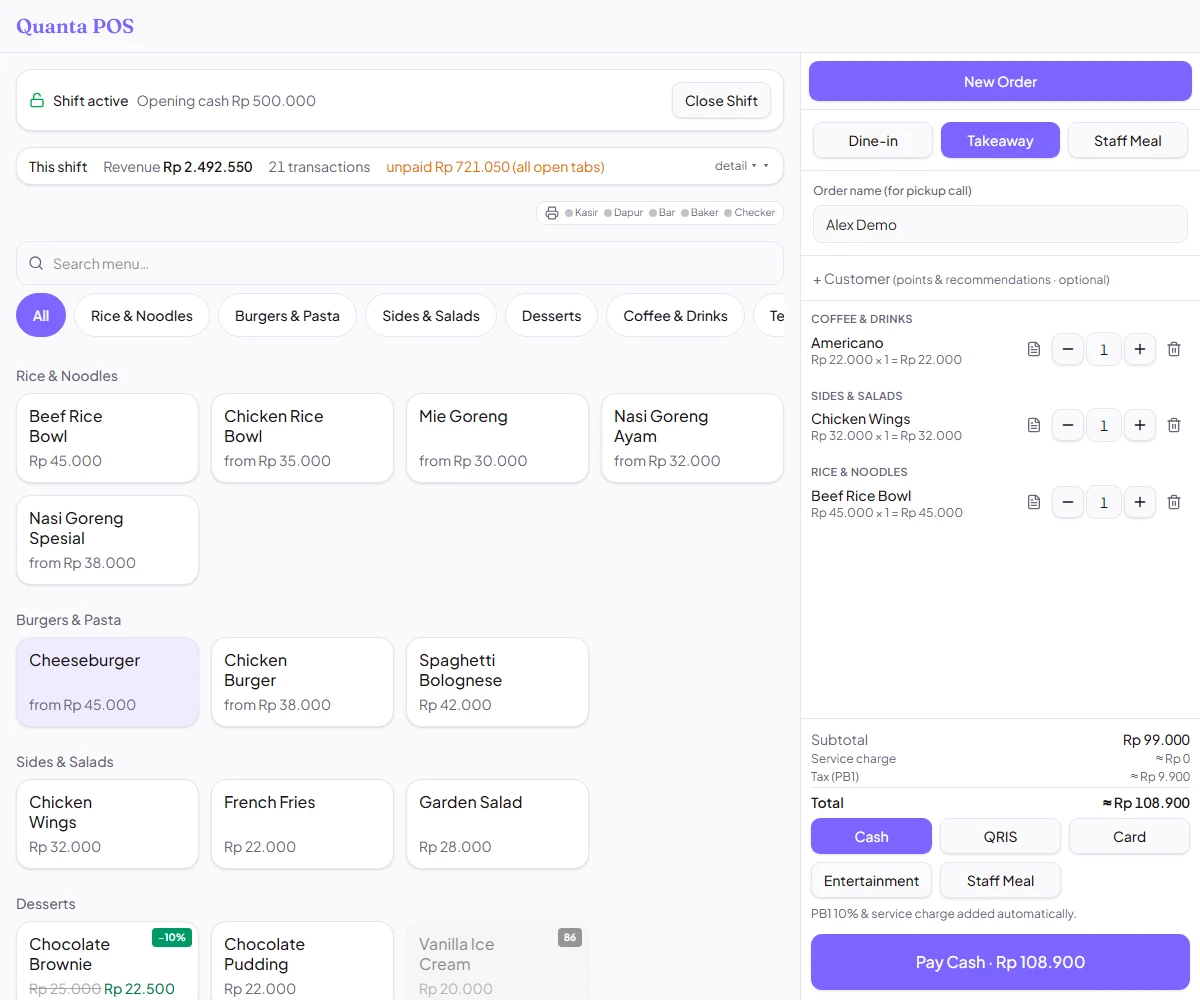
A POS that keeps service moving
#Keep orders and payments together so your team can focus on guests.
- Dine-in and takeaway
- Flexible menu choices
- Easier bill handling
Explore the screen ↗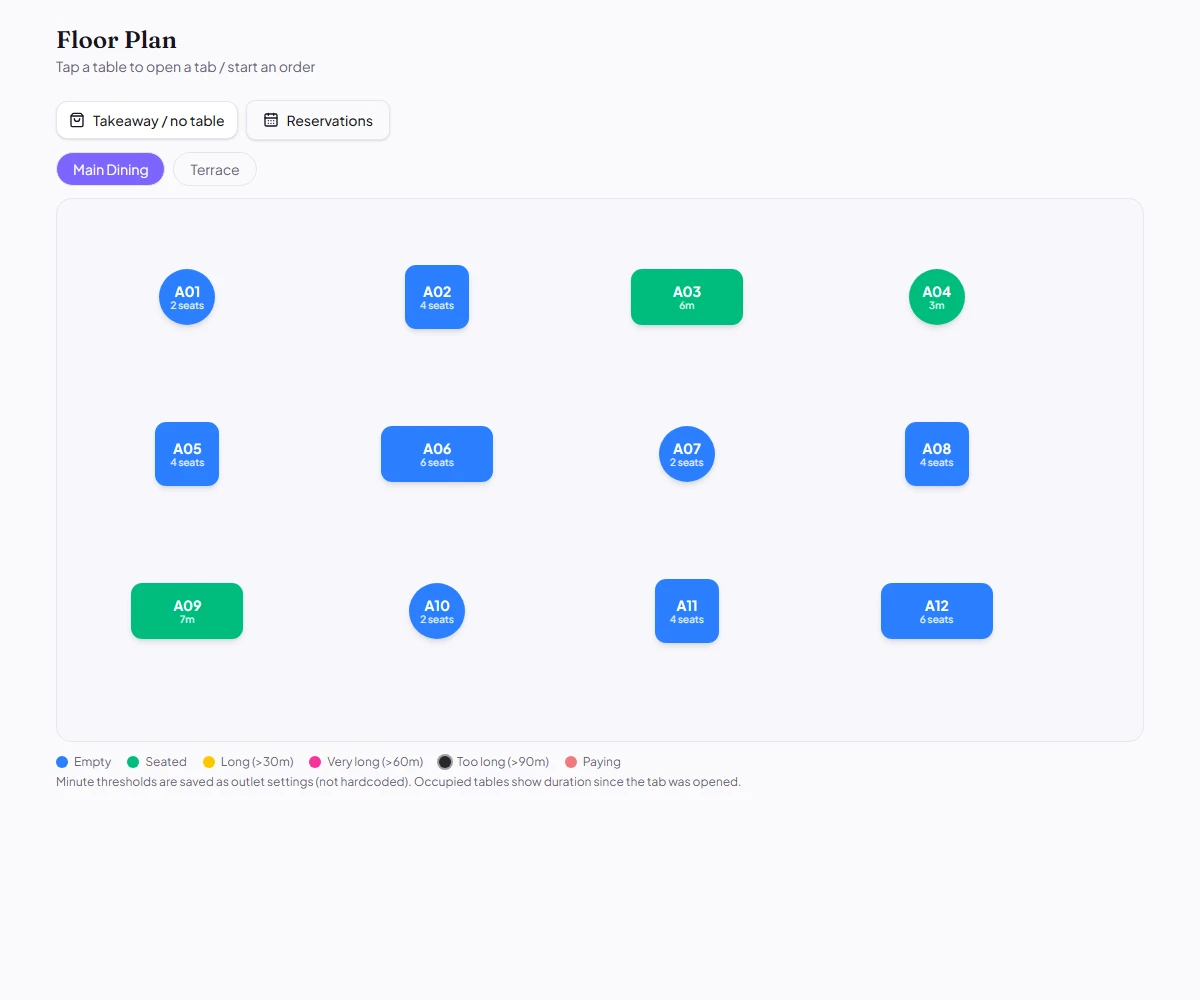 ↗
↗
Clear tables, smoother service
#See which tables are available and which are being served at a glance.
- A view of the dining room
- Clear table status
- Coordinated front-of-house service
Explore the screen ↗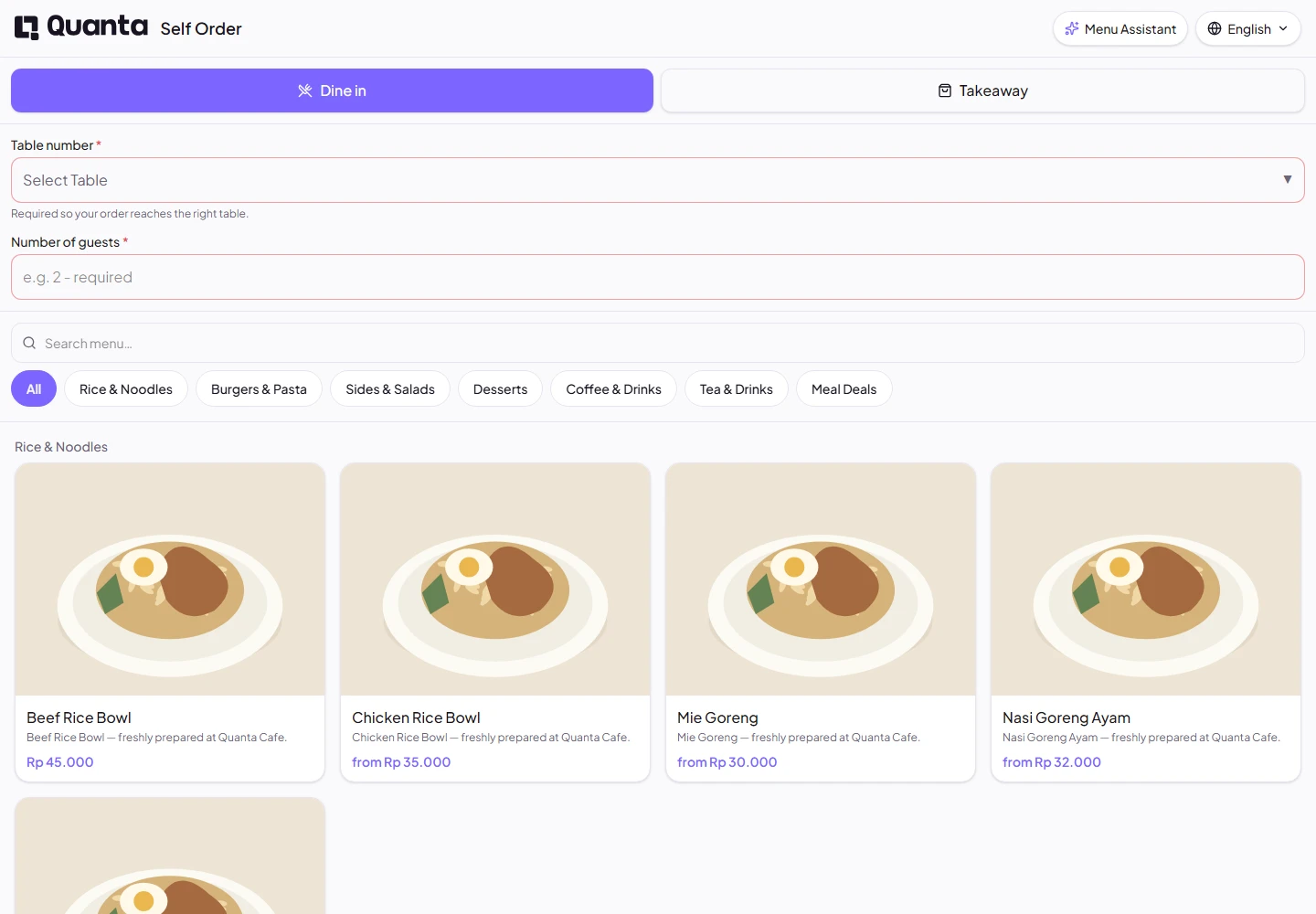 ↗
↗
Let guests order for themselves
#Give guests an easy way to browse your menu and build their own order.
- Visual menu browsing
- Choices to suit each guest
- Self-service ordering
Explore the screen ↗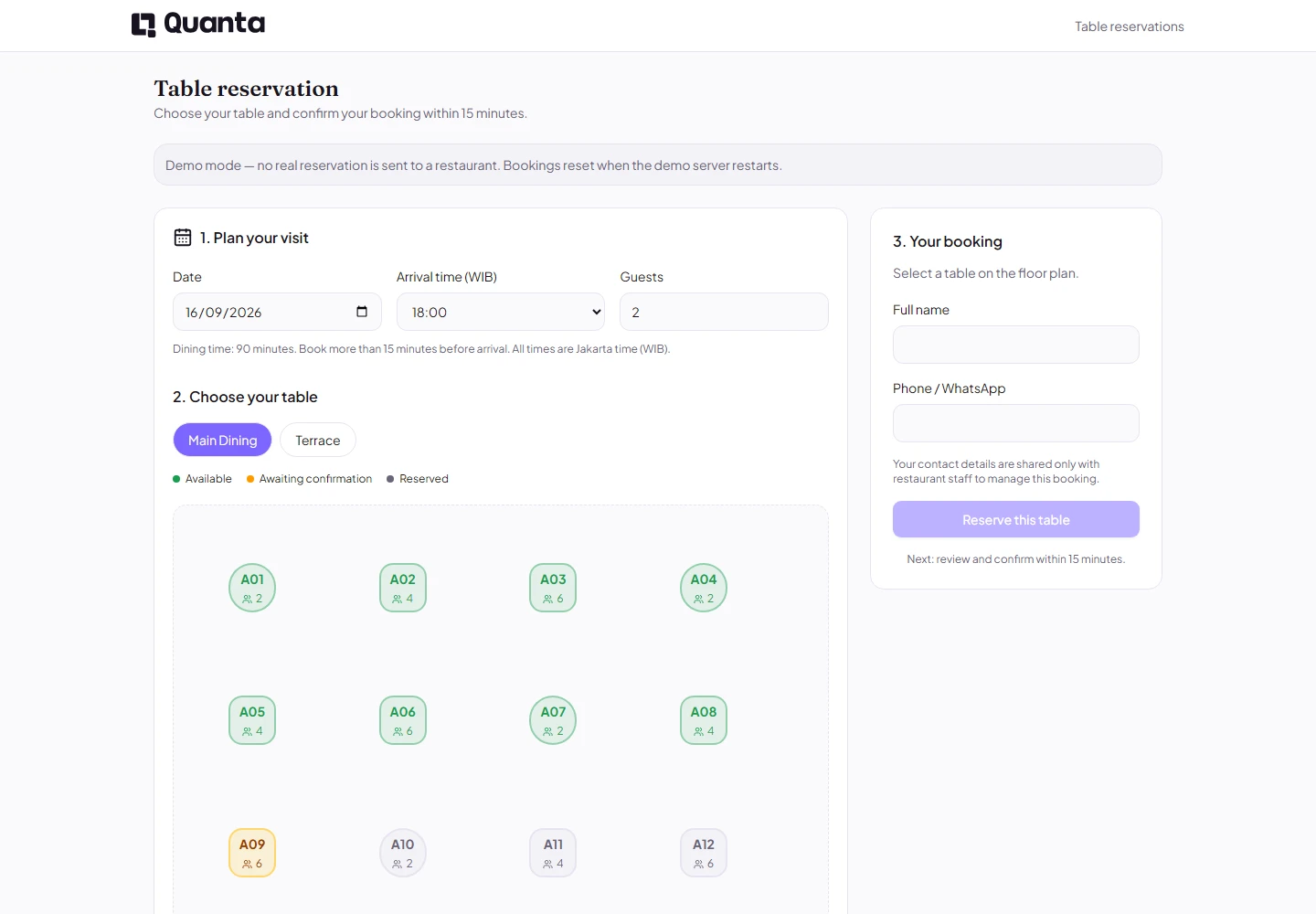 ↗
↗
Welcome guests before they arrive
#Help guests plan their visit and give your team time to prepare.
- Online table reservations
- Visit time selection
- Better service preparation
Explore the screen ↗ 02Daily operations
Help your team stay organized.
 ↗
↗
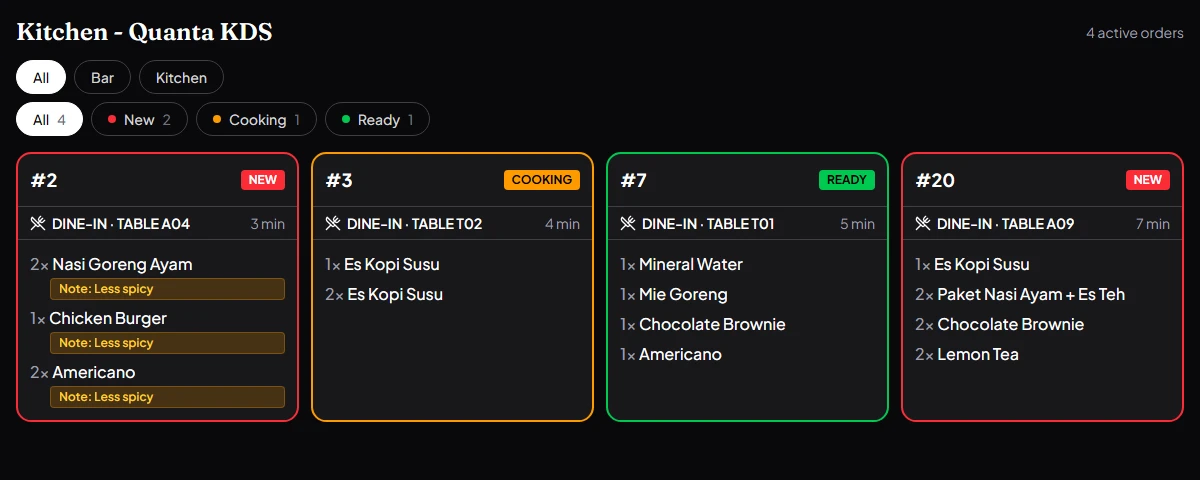
Keep the kitchen in sync
#Help kitchen and bar teams see what needs preparing and how orders are progressing.
- Digital order tickets
- Guest request notes
- Kitchen and service coordination
Explore the screen ↗QUANTA / Daily operations
Stay on top of ingredients
#Keep track of ingredients so your team knows when to replenish and can prepare for busy hours.
- Ingredient stock overview
- Support for stock checks
- Information for purchase planning
Explore in a demo ↗QUANTA / Daily operations
Bring clarity to purchasing
#Keep purchase and supplier records together so restaurant needs are easier to review.
- Central purchase records
- Supplier information
- Visibility into operational needs
Explore in a demo ↗QUANTA / Daily operations
Help every role do its job
#Give staff access suited to their responsibilities and manage team information in one place.
- Staff roles
- Team information
- Attendance records
Explore in a demo ↗ 03Business & customers
Understand the business and its returning guests.
 ↗
↗
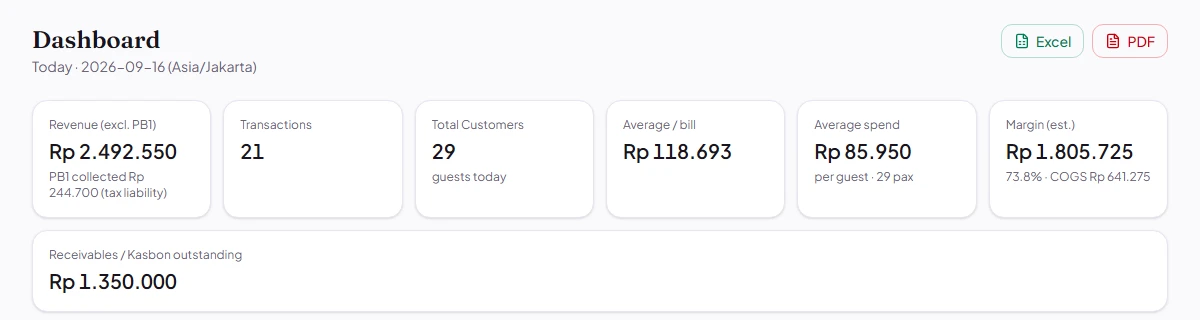
See how your business is doing
#Review sales and restaurant activity to help decide what to do next.
- Sales summaries
- Daily activity overview
- Information for business reviews
Explore the screen ↗QUANTA / Business & customers
Get to know returning guests
#Make service more personal with customer information and visit history.
- Customer profiles
- Visit history
- Support for loyalty programs
Explore in a demo ↗ No matching features yet.
Try another keyword or view every category.
BUILT AROUND YOUR RESTAURANT
See the whole workflow.
With the Quanta team.
Tell us what your team needs. We will walk you through the relevant features and plans.
Book a demo ↗ Book a demo